Notes that actually
match how you work.
NexJot is a local-first, structured notes app for the people who keep infrastructure running. PSADT scripts, BIOS settings, SCCM queries, runbooks, passwords for the day — all in one place, on your machine, no cloud account.
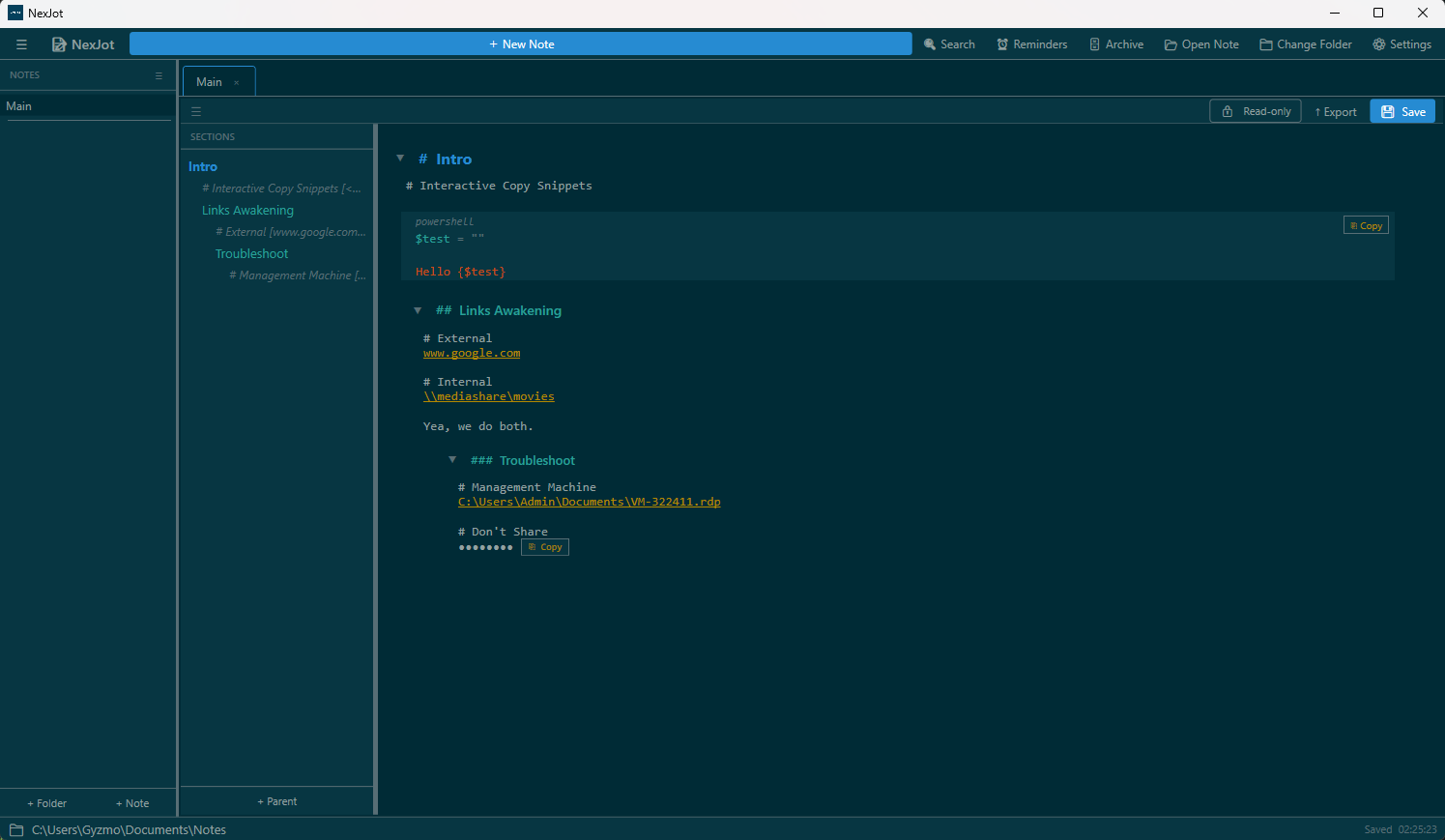
Built for technical notes,
not aesthetic ones.
Structured tree
Three-level section hierarchy with drag-to-reorder, copy/paste subtrees, and a SECTIONS pane that's the structural surface — your editor stays a clean content surface.
Code snippets that copy
Code blocks support {$variables} with prompts and defaults. Click the copy button, fill in the values, paste the resolved command. Built for runbooks.
Secret snippets
Wrap a value in ⟨ ⟩ and it renders as •••••••• with a copy button. Screen-share safe. Stored as plain text — not encryption, just shoulder-surf protection.
Reminders that fire
Tag any note with a time, date, or recurrence. NexJot raises a toast while it's running. One-time reminders auto-acknowledge on disk; recurring ones dedupe per-day.
Rename-safe links
Internal links use stable IDs, not section names. Rename any section anywhere — every link in every note re-renders with the new name. Move sections across notes — links follow.
Yours, on disk
Every note is a plain .note file in a folder you choose. No database, no cloud, no account, no telemetry. Sync via OneDrive, Dropbox, or a git repo — your call.
Stop reaching for OneNote.
One installer. No account. Free.
Download NexJot v1.0.1